
Next new page

Previous new page


View popups and dropdowns
Back to START.

Explanation page
On Windows 10 with Firefox browser (what you're using now) the secure import place for puzzle kits is the Firefox "keystore."

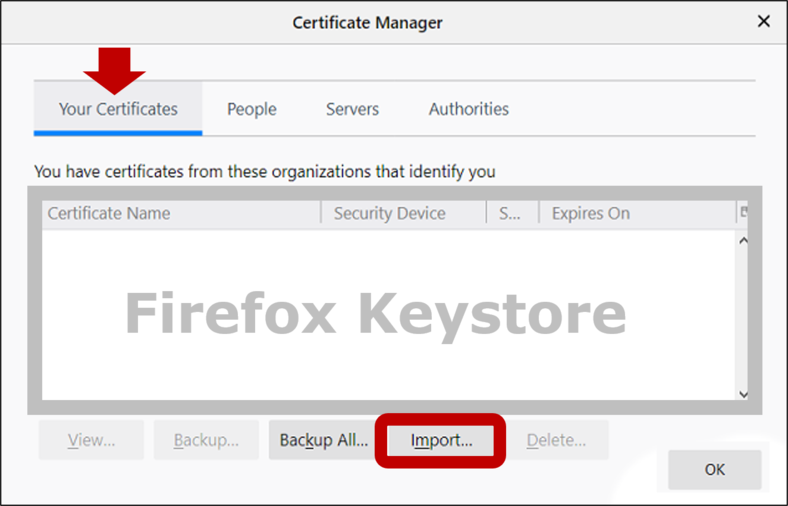
Open Firefox’s Certificate Manager and click Import
by following this path:
Settings/Options/Preferences > Privacy & Security > Certificates > View Certificates > Your Certificates > Import
1
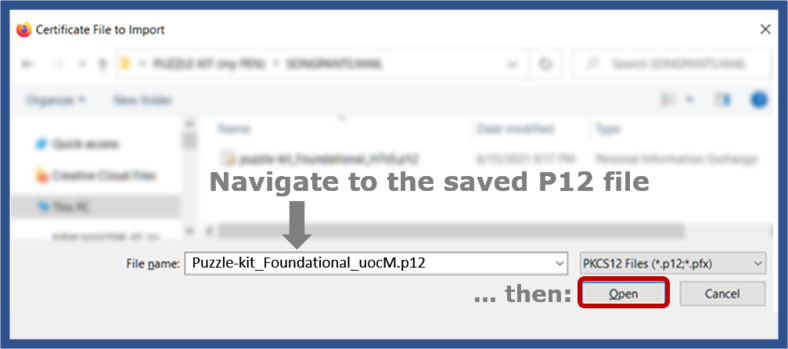
In the dialog box, navigate to the P12 description file
you saved earlier, and select it.
2
3
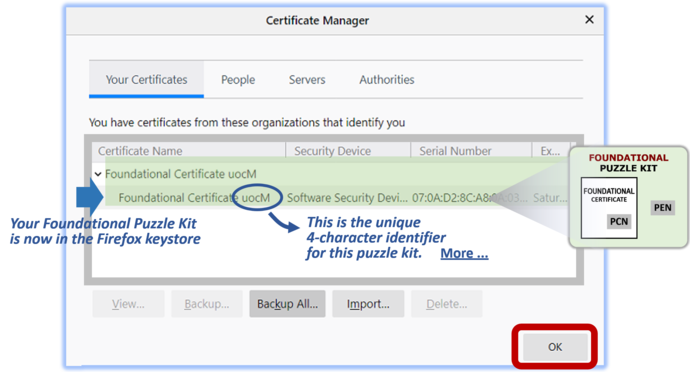
The Certificate Manager now shows your new Puzzle Kit in the keystore. (Notice the same 4-character identifier that was in the P12 filename).
Continue

Your Foundational Puzzle Kit is now imported.
NEXT: Create an AUTHENTICATION Puzzle Kit.


TIP
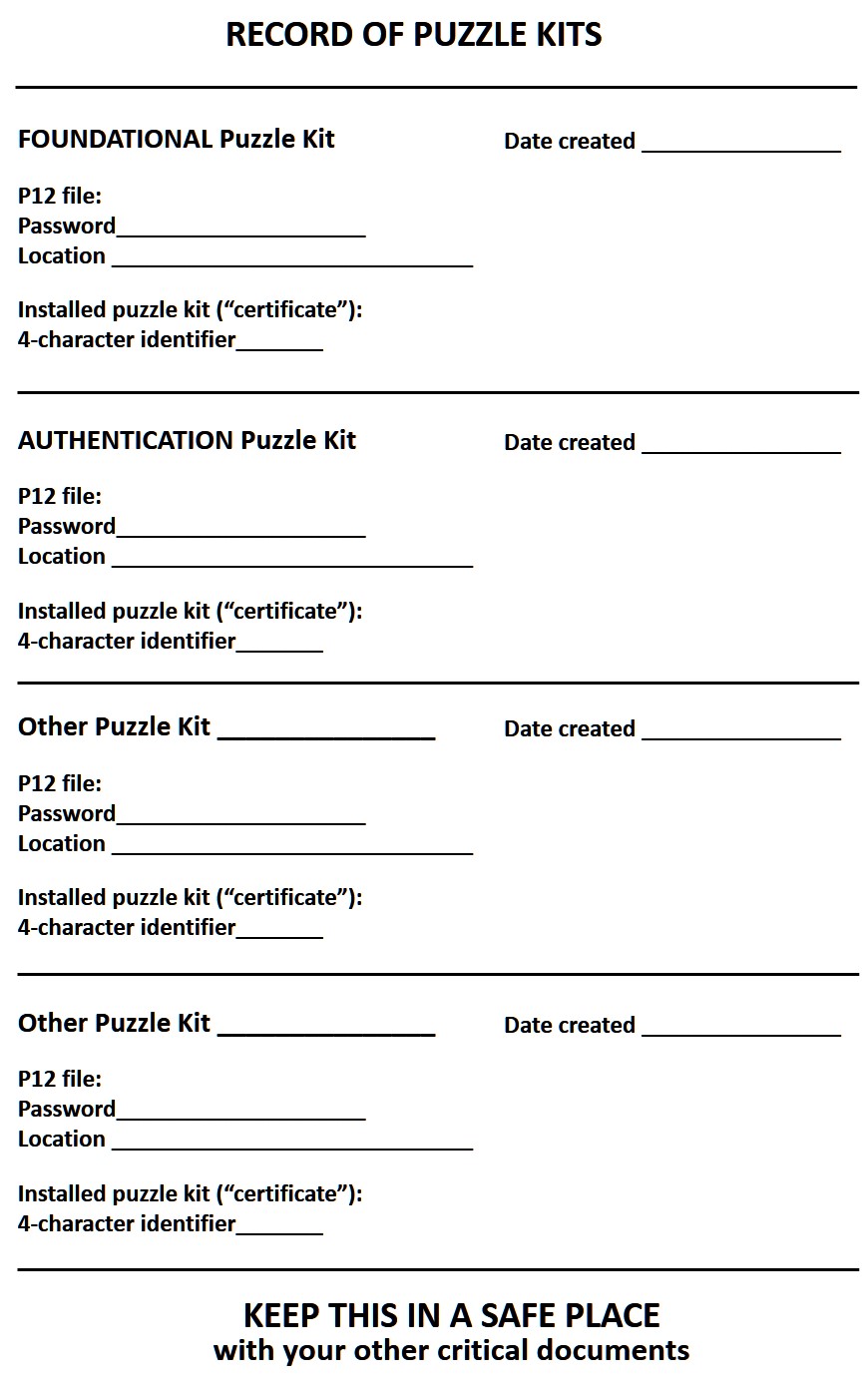
Right now, make a note of these 3 things for your
Foundational Puzzle Kit (Firefox calls it a "certificate"):
● The P12 description file's password
● The P12 description file's folder location
● The 4-character identifier (from Step 3 above)
Sample record sheet:
View
Download
WK comment: Add a congratulatory note here, about the great thing you just did that will change your life.

View the click path
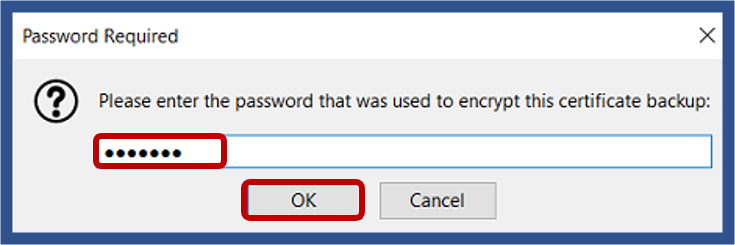
Click OK.
Click Open and provide the password you specified earlier.
Import your Foundational Puzzle Kit
View old version of this page
View CHROME version of this page
Is it a "Puzzle Kit" or a "Certificate"?
Overview of the enrollment process
