View old version of this page
Next new page


View popups and dropdowns
Back to START.

Explanation page
Previous new page


Save your Utility Puzzle Kit
Save the P12 definition file
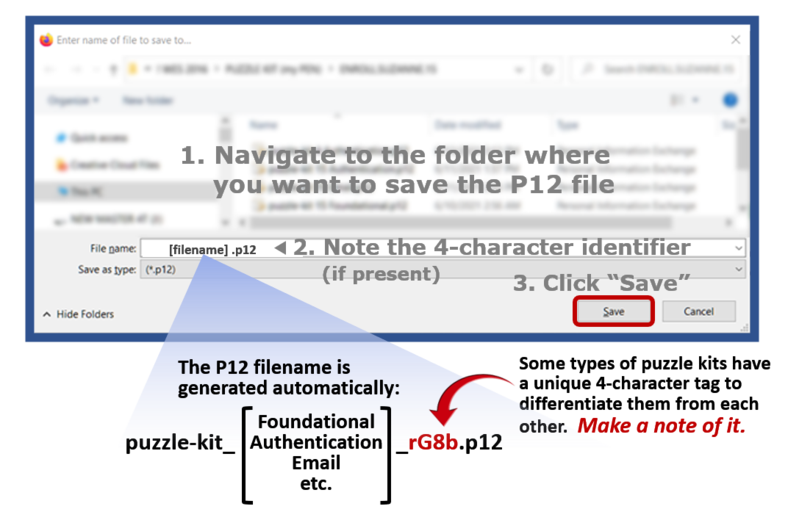
This saves the puzzle kit's definition file – called its "P12" file – to a folder on your computer.

SN comment: Hitting SAVE in the file-saving dialog box (coming up next) advances automatically to the import page.
Clicking the blue "Save" button further down will open
a dialog box for saving the P12 definition file:


TIP
Make a note of:
● The P12 password (from the previous step)
● The folder where you save the P12 file (in the next step)
● The 4-character identifier in the P12 filename (in the next step)

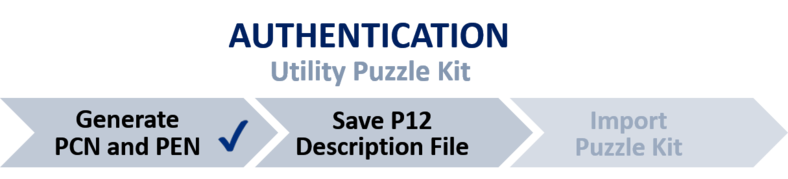
Name of the utility here: AUTHENTICATION, SIGNING, EMAIL, KEY MANAGEMENT, SIGNING OFFICER, REPORTER
Overview of the enrollment process